I’ve been building web scrapers for years. From BeautifulSoup and Selenium to Playwright, I thought I’d seen it all. But last month, I hit a wall so stubborn that I almost gave up on the entire project.
This is the story of how traditional scraping failed me, and why I now treat AI as a legitimate, powerful tool in my data extraction toolbox.
The Problem: A Site That Hates Scrapers
A client needed me to extract product listings from a fashion retailer. It sounded simple enough. I opened the page, identified the usual elements like div.product-card and CSS classes like price, title, and image. I wrote a quick BeautifulSoup script, ran it, and got absolutely nothing.
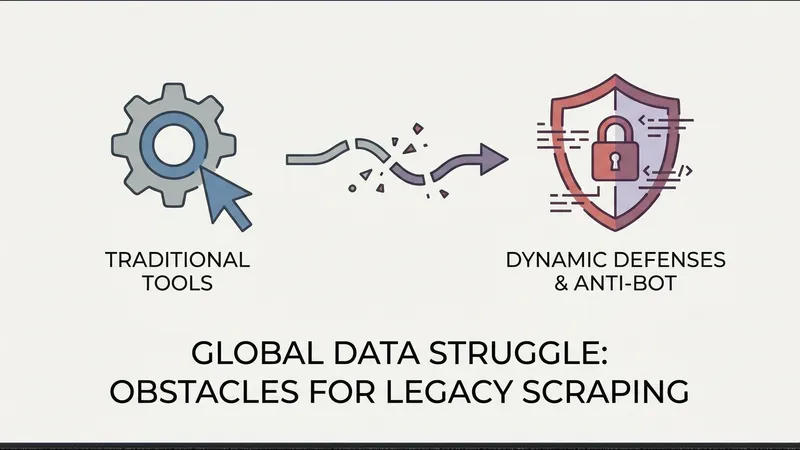
The HTML was completely dynamic. Every product card was rendered via JavaScript, and the CSS class names changed dynamically every time I reloaded the page (likely a React app utilizing CSS modules or Tailwind's class purging). Worse, they implemented an aggressive Cloudflare challenge that blocked headless browsers after just a few requests.
What I Tried (and What Failed)
First, I tried static parsing with requests and BeautifulSoup, which returned an empty <div>. Then, I turned to Selenium with Chrome. This worked for 5 to 10 pages before Cloudflare flagged my IP. Even with stealth configurations and proxies, I was consistently blocked. Playwright with stealth plugins met the exact same fate; the site's anti-bot logic was incredibly robust.
In desperation, I tried running Tesseract OCR on screenshots of the page, but the accuracy was terrible due to stylized fonts and overlapping visual elements. Third-party scraping APIs were either prohibitively expensive or yielded incomplete datasets. After three days of grueling debugging, I was ready to tell the client it was impossible.
An Accidental Discovery
While venting to a friend, he mentioned he had been using AI to extract structured data from PDF invoices and suggested, "Why not try it on web pages? Take a screenshot, send it to a vision model, and ask it to return JSON."
I was highly skeptical. I had used GPT-4 for text summarization, but for structured data? Wouldn't it be too slow and expensive? But with no other options, I decided to build a quick prototype.
The AI-Powered Solution
The workflow was simple: use Playwright to launch a headless browser, navigate to the target URL, wait for the network to become idle to ensure dynamic elements loaded, and take a full-page screenshot. This screenshot was then encoded to Base64 and passed directly to OpenAI's GPT-4o model, with a system prompt instructing it to extract product details directly into a JSON array.
Here is the core structure of the script I implemented:
import base64
from openai import OpenAI
from playwright.sync_api import sync_playwright

def fetch_and_extract(url):
    with sync_playwright() as p:
        browser = p.chromium.launch(headless=True)
        page = browser.new_page()
        page.goto(url, wait_until="networkidle")
        screenshot = page.screenshot(full_page=True)
        browser.close()
    base64_image = base64.b64encode(screenshot).decode("utf-8")
    client = OpenAI()
    response = client.chat.completions.create(
        model="gpt-4o",
        messages=[
            {
                "role": "user",
                "content": [
                    {
                        "type": "text",
                        "text": "Extract product info in JSON format with name, price, image_url, and availability."
                    },
                    {
                        "type": "image_url",
                        "image_url": {
                            "url": f"data:image/jpeg;base64,{base64_image}"
                        }
                    }
                ]
            }
        ]
    )
    return response.choices[0].message.content
The result was mind-blowing. The bottleneck that blocked me for three days was fully resolved in less than 10 minutes. The vision model bypassed dynamic CSS obfuscation and anti-bot obstacles effortlessly, delivering pristine structured data.
[AgentUpdate Depth Analysis] This paradigm shift from DOM parsing to Vision-Language Model (VLM)-based UI understanding marks a critical evolution for the AI Agent ecosystem, particularly for autonomous web navigation ("web-use"). Historically, traditional web scraping and RPA tools have been notoriously fragile, breaking with any minor frontend update or dynamic CSS refactoring. By treating pixels as the primary input—akin to human vision—this approach aligns perfectly with cutting-edge agent frameworks like Anthropic's "Computer Use" API and Microsoft's WebArena. While high API latency and token costs currently limit VLMs for massive, high-throughput scraping pipelines, the rapid advancement of localized, lightweight VLMs (such as Qwen2-VL or Llama-3.2-Vision) will democratize visual data extraction. Ultimately, this enables AI Agents to seamlessly transition from API-restricted assistants to truly autonomous agents capable of interacting with any legacy, highly dynamic, or bot-protected interface, fundamentally reshaping the future of RAG pipelines and enterprise automation.