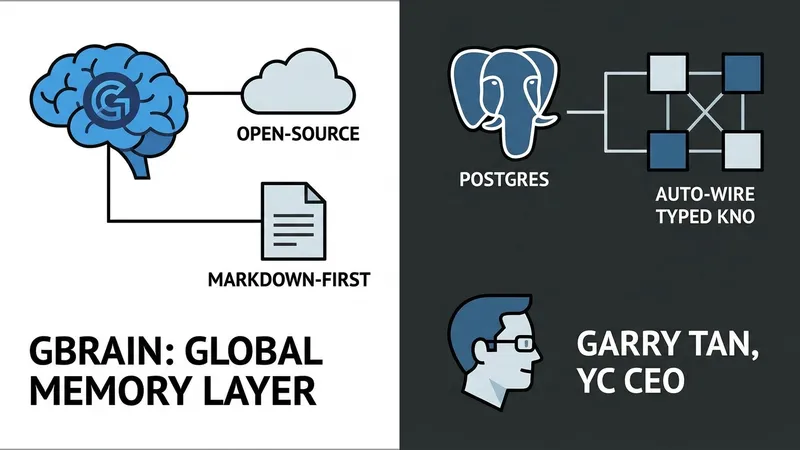
Your AI agent is smart but forgetful. Every new session starts from zero without memory of past context. GBrain is an open-source fix for this issue. Built by Garry Tan (President and CEO of Y Combinator) to power his own OpenClaw and Hermes deployments, it is a markdown-first, Postgres-backed knowledge layer that ingests meetings, emails, and notes, then auto-wires a typed knowledge graph on top—with zero LLM calls for the graph extraction.
The production brain behind Garry’s actual agents currently holds 146,646 pages, 24,585 people, and 5,339 companies. On its own benchmark (BrainBench), GBrain hits P@5 49.1% and R@5 97.9%, showcasing a +31.4-point P@5 lead over the same codebase with the graph layer disabled. This provides agents with significantly higher retrieval precision for complex queries.
This hands-on tutorial guides you through installing GBrain locally, importing notes, and connecting it to Claude Code via MCP. You will build a local ~/.gbrain/brain.pglite database—embedded Postgres 17 via WASM with pgvector, requiring zero server configuration. You'll also implement a working hybrid-search CLI that combines vector, BM25 keyword, and Reciprocal Rank Fusion (RRF), with a ZeroEntropy reranker.
Prerequisites include macOS or Linux, Bun ≥ 1.3.10, and an embedding API key (ZeroEntropy, OpenAI, or Voyage). The setup also exposes an MCP server with 74 tools so editors like Cursor and Windsurf can read and write to the brain directly.
Step 1 involves installing Bun and GBrain via global install:
curl -fsSL https://bun.sh/install | bash
bun install -g github:garrytan/gbrain
Step 2 covers initializing the brain with gbrain init --pglite, which provisions the PGLite database in seconds. This local setup ensures data privacy while providing the full power of Postgres for agentic memory tasks.