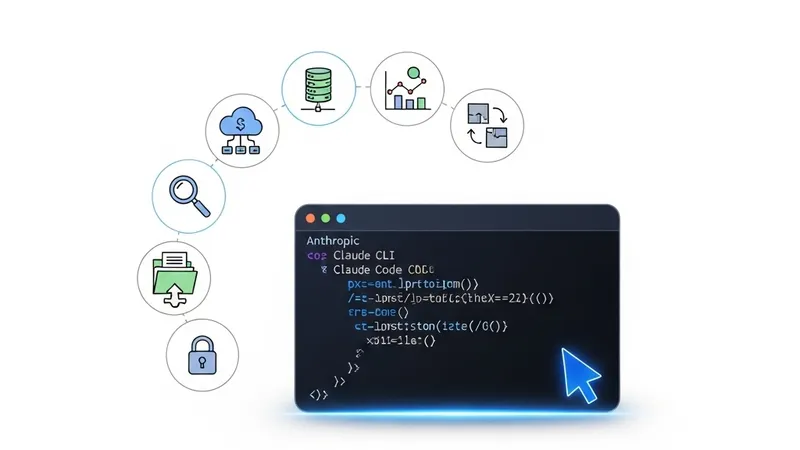
Anthropic's newly released terminal-based AI assistant, Claude Code, has quickly become a developer favorite. Since an Obsidian vault is essentially a local directory of Markdown files, Claude Code can seamlessly read, write, search, and refactor them. By integrating Claude Code with Obsidian, users can upgrade static second brains into self-evolving, agentic knowledge bases.
Here are 7 powerful commands and workflows for Obsidian + Claude Code:
1. Vault-Wide Semantic Search & Connection Discovery
Traditional Obsidian search relies on keywords, but Claude Code offers deep semantic retrieval. Run:claude "Find all notes in my vault related to 'Prompt Engineering' that aren't explicitly linked, and explain their connections". Claude will scan files and highlight latent relationships.
2. Automatic Frontmatter & Tagging
Managing tags is a constant pain. Use this command:claude "Scan new notes in /inbox, automatically generate YAML frontmatter based on content, add standard tags and categories, and write them back" to automate archiving effortlessly.
3. Generating Map of Content (MOC)
MOCs are the backbone of Obsidian organization. Run:claude "Read all notes in the /ai-agents directory and generate an index file named Agent-MOC.md, containing short summaries and wikilinks [[filename]] for each note". Claude Code outputs precise Markdown link syntax.
4. Refactoring Fleeting Notes
Transform quick ideas into polished evergreen notes:claude "Refactor idea-1.md in /fleeting-notes. Fix grammar, expand arguments, and format it as a structured Evergreen Note in /permanent". Claude’s writing and reasoning capabilities shine here.
5. Detecting and Fixing Broken Links
As vaults grow, broken links inevitably slip in. Use:claude "Check Markdown links and wikilinks across the entire vault. Identify dead links pointing to non-existent files and suggest fixes" to run a complete vault health check.
6. Cross-Note Synthesis & Weekly Reviews
To automate summaries, try:claude "Read all of this week's notes in /daily-notes. Extract the top 3 technical challenges I faced and their solutions, then generate Weekly-Review.md".
7. Automatic Flashcard (Anki) Generation
Boost your active recall with:claude "Read /study-notes, extract core concepts, and generate Anki-formatted Q&As in flashcards.md". This integrates cleanly with Obsidian Anki plugins.
By leveraging these commands, Claude Code transcends its role as a mere coding assistant, becoming an active catalyst in the agentic era of personal knowledge management.
[AgentUpdate Depth Analysis] The fusion of Claude Code and Obsidian represents a significant shift in personal knowledge management (PKM), highlighting how "Embodied Agents" can operate directly on local file systems. Unlike conventional RAG-based chat extensions that only read data, Claude Code acts as a stateful agent with write permissions, moving the needle from passive retrieval to active synthesis and refactoring. This heralds a future where AI Agents run as background daemons, continuously grooming, linking, and organizing our cognitive outputs. By eliminating the manual friction of tagging and structuring, this workflow paves the way for a highly integrated, self-organizing co-pilot that evolves alongside the human mind.