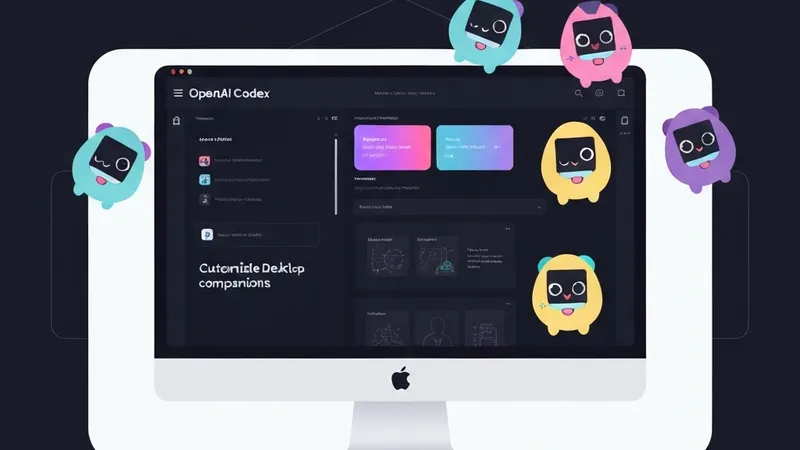
Who wouldn't want a little companion on their computer? OpenAI recently introduced an exciting update to Codex, rolling out desktop floating companions reminiscent of Tamagotchi, a feature that has quickly sparked enthusiasm within the developer community.
Unlike some pixelated pets embedded within specific terminals (like Anthropic's Claude Code), Codex's desktop pet is global. It remains visible in a corner of your screen regardless of the application you're using. Users can interact with the pet by hovering their mouse over it or dragging it around. While you work, this companion also provides real-time status updates from Codex, such as "thinking" or "task completed." This marks a shift in human-AI interaction, moving beyond the traditional desktop pets tied to chat software (like QQ pets) towards a new era of AI companionship.
Codex comes with 8 built-in pixel-style pets, including the classic Codex figure, Dewey the neat duck, Fireball for rapid iterations, and BAOD (Blue Screen of Death) the little troublemaker, catering to various user preferences. These integrated pets can be configured in the Appearance section of Codex settings.
However, what truly excited the community is Codex's custom pet feature. Using the native /hatch command, users can upload any image, and Codex will "hatch" it into an animated pet, saving it locally for easy sharing. Before initial use, the corresponding Skill must be installed via the $Skill Installer hatch-pet command. This Skill automatically downloads relevant documentation from OpenAI's official GitHub repository: https://github.com/openai/skills/tree/main/skills/.curated/hatch-pet.
Once installed, using the $hatch-pet Skill with a prompt (e.g., "create a Labubu desktop pet"), Codex will follow a process to first generate a main image, then based on it, create a series of images for different states. These include idle, running-right, running-left, waving, jumping, failed, waiting, running, and review. Each state typically involves 4-8 animation frames. After generating and compositing all state images, users receive their personalized animated desktop pet.
This feature rapidly ignited social media and developer communities, leading to a flood of desktop pet creations designed to enhance the "vibe coding" experience. From a parody of Anthropic's CEO as an "angry Dario" and Ultraman, to a reborn Microsoft Clippy, Apple fans' Lil Finder Guy (a lively Mac Finder face), and even Steve Jobs and DeepSeek's whale, many figures have found new life through Codex. Community-driven pet sharing platforms like PetShare (https://codex-pet-share.pages.dev/) and PetDex (https://petdex.crafter.run/) quickly emerged, showcasing popular characters like Duolingo's owl, Dragon Ball's Goku, and Harry Potter as custom pets.
To further fuel creativity, OpenAI officially hosted a pet generation contest, offering ChatGPT Pro rewards for the top 10 favorite creations. It's worth noting that generating custom pets can be time-consuming and consumes a significant amount of compute credits.
Utilizing these custom pets is straightforward: simply download the archive, copy it to the designated folder, and select it in Codex settings. A quick /pet command in Codex instantly summons a lively electronic pet to your desktop. Beyond their cuteness, these pets serve a practical purpose. They don't write code or debug, but they provide real-time feedback on Codex's background status via speech bubbles and animations, indicating if it's "thinking," "task completed," or "needs your decision." When a task is done, clicking the pet allows for direct replies to the AI Agent, continuing the workflow. A scratching head indicates "thinking," while a speech bubble signifies task completion or a need for input. This two-way communication mechanism acts like a "Dynamic Island" for macOS, keeping users informed of AI progress while they focus on their current work.
The desktop pet feature has garnered widespread praise for Codex on social media, with users highlighting its significant "emotional value." Watching a favorite pet animate on screen is undoubtedly more enjoyable than staring at a static progress bar.