Introduction
Have you ever wondered: how much of our data privacy and digital sovereignty remains when we send our daily schedules, corporate documents, private emails, and source code to cloud-based LLMs like ChatGPT or Claude?
Many developers choose to run open-source models (like Llama 3 or Qwen) locally using tools like Ollama. However, these local models often act as isolated islands. You chat in one terminal, write markdown files in another, and sync knowledge using third-party tools, while your emails and calendars remain fragmented across cloud databases.
The open-source project Odysseus solves this challenge with a simple, privacy-first core philosophy:
"Your hardware; Your models; Your data; Your privacy."
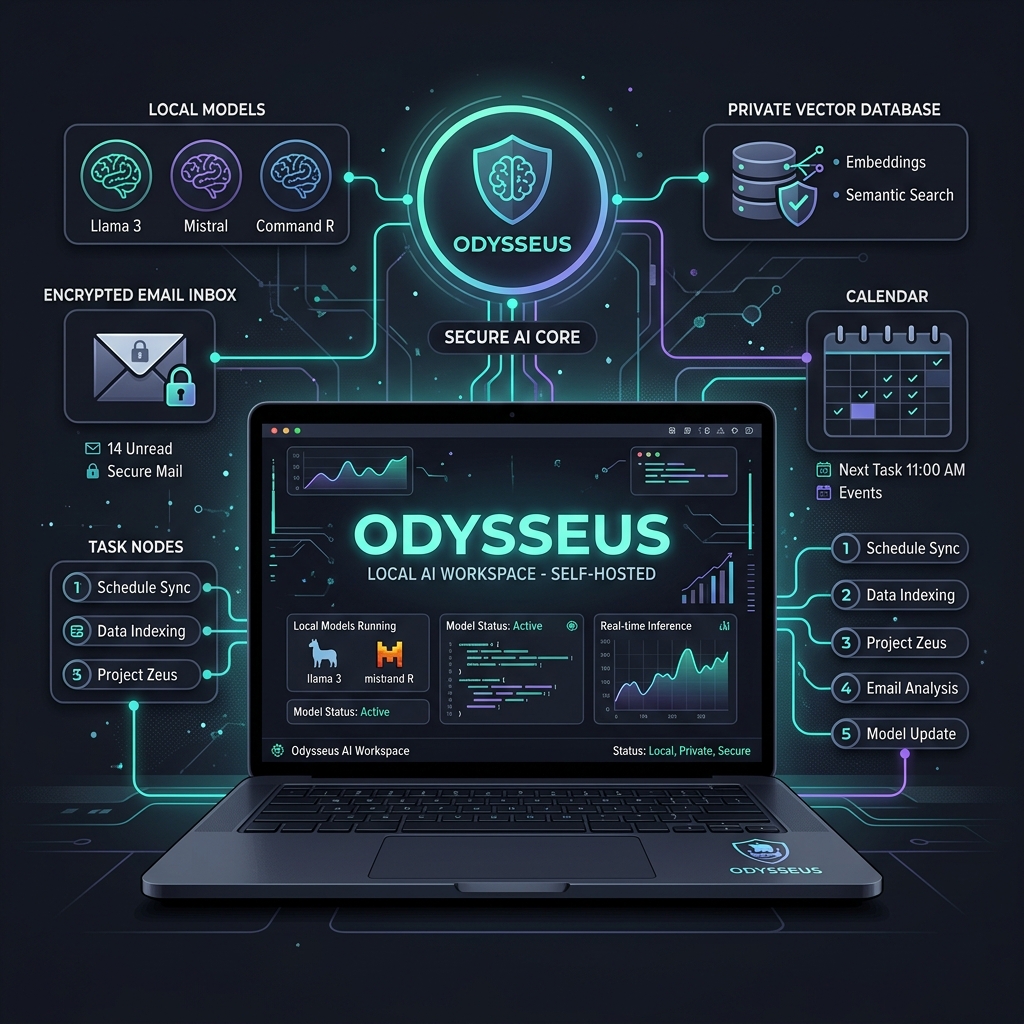
By centralizing local AI chatting, multi-agent orchestrations, deep internet research, local email clients (IMAP/SMTP), and calendar sync (CalDAV) into a single self-hosted interface, it serves as a complete personal AI workstation.
In this guide, we provide a plain-language overview of Odysseus's architecture, setup steps, and features for beginners, intermediate users, and developers.
System Architecture
To understand how Odysseus works, let's explore its local microservice layout:
graph TD
    subgraph LocalHost ["Localhost (Odysseus Stack)"]
        UI["PWA UI (Astro/React)"]
        Server["Backend API (FastAPI)"]
        Chroma["Vector DB (ChromaDB)"]
        Search["Private Search (SearXNG)"]
        Agent["Agent Decision Executor"]
    end

    subgraph ModelServing ["Local Model Servers"]
        Ollama["Ollama / llama.cpp (Local LLMs)"]
    end

    subgraph External ["External Services"]
        OpenAI["OpenAI / OpenRouter API"]
        Email["Mail Server (IMAP/SMTP)"]
    end

    UI -->|HTTP / WS| Server
    Server -->|RAG Retrieval| Chroma
    Server -->|Web Search| Search
    Server -->|Decision Drive| Agent
    Agent -->|Inference Call| Ollama
    Agent -->|Backup Inference| OpenAI
    Agent -->|Mail Sync| Email
Setup & Usage Guides
1. Beginners: One-Click Docker Setup
If you don't have coding experience and just want a secure, offline AI workspace, follow this Docker setup:
📌 Prerequisites:
- Download and install Docker Desktop.
- Run Ollama locally and pull a model in your terminal (e.g.,
ollama run llama3).
📌 Installation:
- Clone the repository in your terminal or PowerShell:
git clone https://github.com/pewdiepie-archdaemon/odysseus.git cd odysseus - Copy the default configurations:
- Windows:
copy .env.example .env - macOS/Linux:
cp .env.example .env
- Windows:
- Run the container cluster:
docker compose up -d - Open
http://localhost:7000in your browser to access the Odysseus dashboard. Map the model endpoint tohttp://host.docker.internal:11434to connect to Ollama.
2. Intermediate Users: Connecting Productivity Channels
For intermediate users, the real value lies in syncing email, calendar, and task streams:
📌 Connect Mail and Calendar:
Configure your credentials in the .env file:
- Email integration: Provide your IMAP details (e.g., Gmail App Password).
- Calendar integration: Provide your CalDAV endpoint (e.g., iCloud Calendar Sync).
📌 AI Agent Triage Workflow:
Once configured, the local Agent monitors your inbox, extracts deadlines, and updates your calendar:
sequenceDiagram
    autonumber
    actor User as User
    participant UI as Odysseus UI
    participant Agent as AI Agent (Decision Engine)
    participant Mail as Email Service (IMAP)
    participant Cal as Local Calendar (CalDAV)

    User->>UI: Enable "AI Agent Assistant"
    UI->>Agent: Trigger Poll Job
    Agent->>Mail: Scan inbox for new messages
    Mail-->>Agent: Return latest emails
    Agent->>Agent: Analyze: summarize, score priority, extract deadline
    opt Task Found (e.g. submit project by Monday)
        Agent->>Cal: Insert task entry & deadline reminder
        Cal-->>Agent: Confirm database write
        Agent->>Mail: Draft response template
    end
    Agent-->>UI: Push dashboard notifications & highlight calendar changes
    UI-->>User: User reviews verified actions
3. Advanced Users: Skills Customization and Vector DB Tuning
For developers, you can customize the retrieval-augmented generation (RAG) system and Agent tools.
📌 ChromaDB Vector Database Customization:
Odysseus stores local document chunks (PDFs, Markdown notes) inside a local ChromaDB instance. You can tweak parameters in config/vector_store.yaml:
- Adjust chunk boundaries (
chunk_size,chunk_overlap). - Fine-tune the Top-K retrieval count to optimize local model accuracy when responding to technical documents.
📌 Blind Model Evaluation:
Use the built-in "Blind Test" exploration tool to submit queries to multiple models (e.g. local Llama 3, Mistral, and remote OpenAI endpoints) simultaneously. Compare the responses without model names visible to evaluate which LLM fits your business best.
[AgentUpdate Depth Analysis]
From the perspective of the Agent ecosystem, Odysseus represents the return of "local data sovereignty" and "workspace integration".
Over the past two years, the AI sector concentrated heavily on cloud SaaS models. Users got used to managing ten different web tabs for simple workflows. However, this creates context fragmentation and risks leaking corporate and personal secrets.
By adopting a self-hosted microservice stack (FastAPI + Docker + ChromaDB), Odysseus brings user data assets and AI inference models back under a single physical firewall. Since the Agent reads local email and calendar APIs without transmitting information to cloud servers, it makes autonomous execution safe and practical for sensitive corporate pipelines.