An In-Depth Illustrated Guide for Claude Code Users and Beginners
Have you ever experienced this: you ask an AI Agent to help refactor code, and at first, it is incredibly smart. However, as the rounds of bug fixing increase and the error logs pile up, the AI suddenly starts to lose its train of thought—forgetting the original request or even hallucinating?
In the AI field, this has a specific name: Context Contamination.
To solve this industry-wide fatal flaw, Anthropic introduced the Dynamic Workflows architecture in Claude Code. In this article, we will thoroughly deconstruct how it overthrows the traditional Subagent model through the art of "disposable" context management, using plain English, architecture diagrams, code, and ASCII art.
Table of Contents
- 1. The Root Cause: Why Does AI Get Dumber Over Time?
- 2. Traditional Subagent Model: A Snowballing Context Disaster
- 3. Dynamic Workflows: A "Relay Race" of Stateless Threads
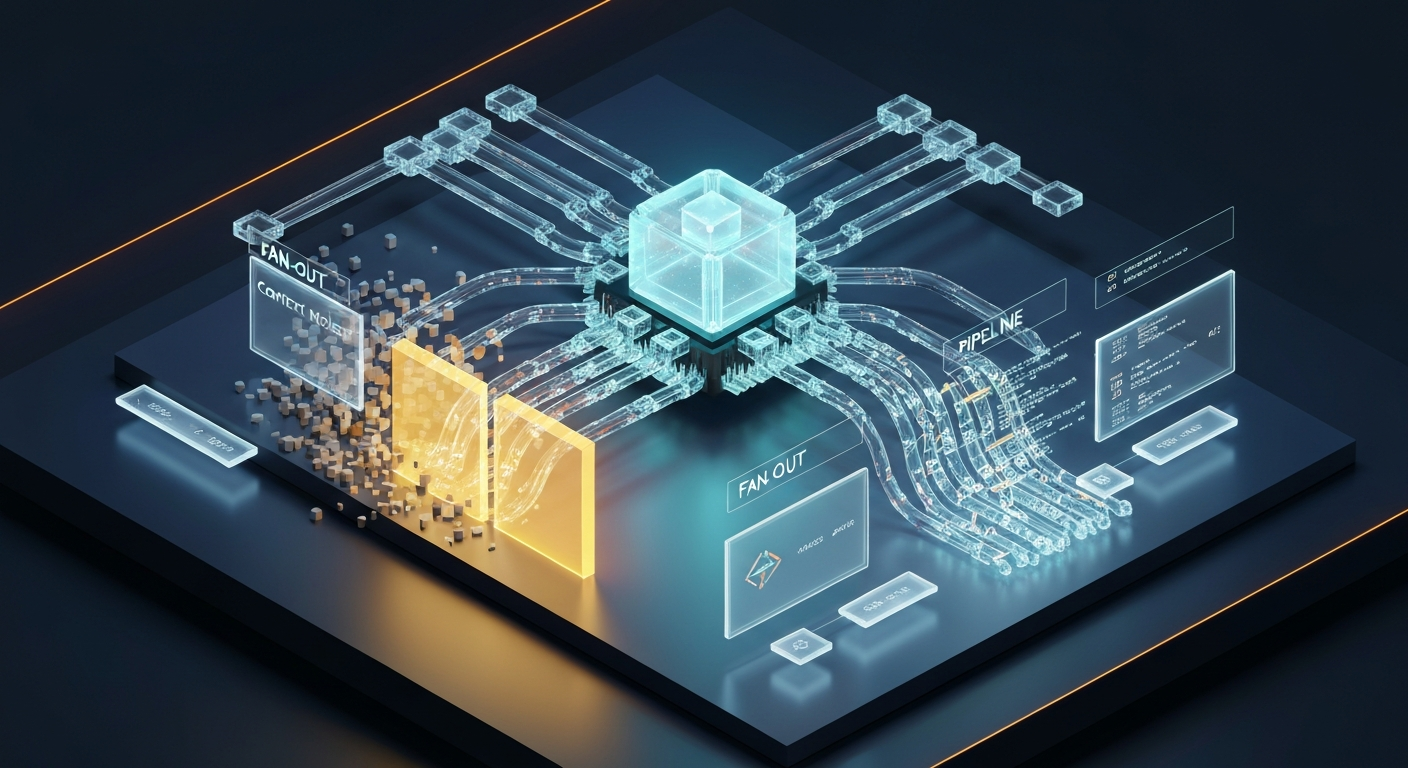
- 4. Fan-Out Pattern: Multi-Threading in Parallel
- 5. Pipeline Pattern: Incremental Relay Race
- 6. Practical Code: What Does a Dynamic Workflow Look Like?
- 7. Classic Patterns Quick Reference
- 8. Core Comparison: Old vs. New Architecture
- 9. Ultimate Takeaways
1. The Root Cause: Why Does AI Get Dumber Over Time?
The working mechanism of Large Language Models (LLMs) can be simply understood as: you stuff all the chat history into a "window," and the model answers your questions based on the contents of that window.
But this window has a size limit. When 80% of the window is filled with error logs, deprecated code, and repetitive trial-and-error processes, the model will exhibit:
| Failure Mode | Plain English Explanation | Real-World Behavior |
|---|---|---|
| Agentic Laziness | Quits halfway saying "I'm done" | Out of 50 security checks, it only completes 35 before calling it a day. |
| Self-preferential Bias | Thinks whatever it writes is correct | Reviews its own code and always finds it "looks good." |
| Goal Drift | Forgets the original objective | While fixing a bug, it starts refactoring unrelated code. |
| Lost in the Middle | Attention overwhelmed by garbage info | Forgets the 3rd requirement because 200 lines of logs are sandwiched in between. |
In short: The context window is like your desktop; the more garbage files there are, the harder it is to find what truly matters.
2. Traditional Subagent Model: A Snowballing Context Disaster
In the past, when the Main Agent encountered complex tasks, it would summon Subagents to do the work. The problem lies in the wrap-up method:
Workflow of the Traditional Model
┌─────────────────────────────────────────────────────────┐
│        Main Session Context (Increasingly Bloated)      │
│                                                         │
│  User Query                                             │
│  ├─ Main Agent spawns instructions → Subagent           │
│  │   ├─ Subagent reads 10 files                         │
│  │   ├─ Compilation fails 5 times × 60 lines of logs    │
│  │   ├─ Runs tests 3 times × 40 lines of output         │
│  │   └─ Finally fixed!                                  │
│  │                                                      │
│  ◄── 💥 Subagent finishes, 180+ lines of garbage stuffed back │
│  │                                                      │
│  ├─ Main Agent spawns another Subagent                  │
│  │   ├─ Another 100+ lines of logs...                   │
│  │   └─ All stuffed back again...                       │
│  │                                                      │
│  ⚠️ Context snowballs, growing larger, and the main     │
│     model's intelligence plummets                       │
└─────────────────────────────────────────────────────────┘
Mermaid Architecture Diagram
graph TD
    User([User Query]) --> Main[Main Agent]

    subgraph ctx["Main Session Context Bloat"]
        Main -- "1. Spawn Instructions" --> Sub[Subagent]
        Sub -- "2. Read Files / Errors / Run Tests" --> Sub
        Sub -- "3. 💥 All logs stuffed back into main session" --> Main
    end

style Main fill:#ffd93dConsequence: The main session becomes a dumping ground. Modifying 2-3 files is manageable, but modifying 10 files blows up the context.
3. Dynamic Workflows: A "Relay Race" of Stateless Threads
Dynamic Workflows completely restructure the rules of the game. The Main Agent no longer charges to the front lines itself; instead, it upgrades to an "Orchestrator," scheduling everything through a runtime control script (Harness).
The core philosophy can be summarized in one word: Disposable.
The Core Three-Step Method: Fork → Drop → Fan-In
                    ┌──────────────────┐
                    │   100% Clean     │
                    │   Main Session   │
                    │                  │
                    │   Contains only: │
                    │   · User Req.    │
                    │   · Final Result │
                    └────────┬─────────┘
                             │
                    ① Dynamically generate control flow
                             │
                    ┌────────▼─────────┐
                    │                  │
                    │   Harness        │
                    │ (Runtime Control)│
                    │                  │
                    └───┬──────────┬───┘
                        │          │
              ② Fork    │          │  ② Fork
          (Clean Clone) │          │  (Clean Clone)
                   ┌────▼───┐  ┌───▼────┐
                   │Subagent│  │Subagent│
                   │   A    │  │   B    │
                   │        │  │        │
                   │Read file│ │Read file│
                   │ Error! │  │ Error! │
                   │Fix again│ │Fix again│
                   │ Fixed! │  │ Fixed! │
                   └────┬───┘  └───┬────┘
                        │          │
              ③ Drop   │          │  ③ Drop
       (Destroy Garbage)│          │  (Destroy Garbage)
                   ┌────▼───┐  ┌───▼────┐
                   │ Return │  │ Return │
                   │Git Diff│  │Git Diff│
                   │  Only  │  │  Only  │
                   └────┬───┘  └───┬────┘
                        │          │
                        └────┬─────┘
                             │
                    ④ Fan-In Convergence
                             │
                    ┌────────▼─────────┐
                    │Main session gets:│
                    │ ✅ A's Git Diff  │
                    │ ✅ B's Git Diff  │
                    │ Garbage logs? No │
                    └──────────────────┘
Mermaid Architecture Diagram
graph TD
    User([User Query]) --> Main["🧠 Main Agent Claude Code"]

    subgraph clean["Clean Main Session"]
        Main
    end

    Main -- "1. Generate Control Flow" --> Harness["⚙️ Harness Runtime Control"]

    subgraph iso["Isolated Temporary Workspace"]
        Harness --> SubA["Subagent A"]
        Harness --> SubB["Subagent B"]
        SubA -- "Debug/Error/Test Loop" --> SubA
        SubB -- "Debug/Error/Test Loop" --> SubB
    end

    SubA -- "2. 🗑️ Destroy Logs, Return Only Git Diff" --> Harness
    SubB -- "2. 🗑️ Destroy Logs, Return Only Git Diff" --> Harness

    Harness -- "3. Merge Final Results" --> Main

    style Main fill:#4ecdc4,color:#fff
    style Harness fill:#45b7d1,color:#fff
    style SubA fill:#96ceb4
    style SubB fill:#96ceb4
Key Difference: Subagents return a Git Diff (code patch), not chat history. It's like ordering food at a restaurant: the chef might try 5 times in the kitchen, but only the successful dish is served to you; you never see the burnt scraps.
4. Fan-Out Pattern: Multi-Threading in Parallel
When multiple tasks are independent of each other, Dynamic Workflows will execute them in parallel.
Scenario: Modifying 3 unrelated files simultaneously
Suppose your project needs modifications in three files: auth.ts, payment.ts, and logger.ts, which are unrelated.
Traditional Model (Sequential, Context Accumulation)
Time ─────────────────────────────────────────────►

Main Agent: [Modify auth.ts ──── Error logs stuffed back ────] [Modify payment.ts ──── Error logs stuffed back ────] [Modify logger.ts]
                 │               Context bloats                  │               Context blows up                  │
                 └── 50 lines of garbage ────────────────────────┘── 50 lines of garbage ──────────────────────────┘
Dynamic Workflow (Parallel, Stable Context)
Time ─────────────────────────────────────────────►

Subagent A: [Modify auth.ts ──── Error ──── Fixed ────] 🗑️ → Return only Diff
Subagent B: [Modify payment.ts ─ Error ──── Fixed ────] 🗑️ → Return only Diff
Subagent C: [Modify logger.ts ── Error ──── Fixed ────] 🗑️ → Return only Diff
            └──────── Simultaneous Parallel Execution ────────┘

Main Session: [Clean] ──────────────────────── [Received 3 Diffs, Merge Complete]
                                                Context remains clean!
Mermaid Fan-Out Diagram
graph LR
    Main["🧠 Main Agent"] -->|"Fan-Out"| Harness["⚙️ Harness"]

    Harness -->|"Fork"| A["🔧 Modify auth.ts"]
    Harness -->|"Fork"| B["🔧 Modify payment.ts"]
    Harness -->|"Fork"| C["🔧 Modify logger.ts"]

    A -->|"Drop + Diff"| Harness
    B -->|"Drop + Diff"| Harness
    C -->|"Drop + Diff"| Harness

    Harness -->|"Fan-In"| Main

    style A fill:#96ceb4
    style B fill:#96ceb4
style C fill:#96ceb4Result: Parallel execution is 3 times faster than sequential execution, and the main session context only increases by 3 Git Diffs instead of hundreds of lines of garbage logs.
5. Pipeline Pattern: Incremental Relay Race
When tasks have sequential dependencies (B can only start after A finishes), Dynamic Workflows use an "incremental relay" approach to pass context.
Scenario: Modify Code → Write Tests → Code Review
Suppose you want to perform a complete development flow on auth.ts:
- Agent A: Refactor the authentication logic in
auth.ts. - Agent B: Write corresponding unit tests based on A's modifications.
- Agent C: Perform a Code Review on A's code + B's tests.
ASCII Flowchart
┌──────────────┐
│  Agent A     │    Context = CLAUDE.md + auth.ts + Task Description
│Refactor Code │
│              │
│ · Modify sig.  ×
│ · Compile err  ×
│ · Fix again    ×
│ · Error again  ×
│ · Finally pass!✓
│              │
└──────┬───────┘
       │ 🗑️ Destroy all error logs
       │ ✅ Keep only Git Diff
       ▼
┌──────────────┐
│  Agent B     │    Context = CLAUDE.md + A's Diff + "Write Tests"
│ Write Tests  │
│              │    ⚠️ B completely cannot see A's 4 failures!
│ · Sees clean │    The world in B's eyes:
│   code changes│   "Oh, A changed the function signature to this,
│ · Writes tests│    so I'll just write tests based on the new signature."
│ · Passes 1st! ✓
│              │
└──────┬───────┘
       │ 🗑️ Destroy intermediate process
       │ ✅ Keep only test code Diff
       ▼
┌──────────────┐
│  Agent C     │    Context = CLAUDE.md + A's Diff + B's Diff + "Review"
│ Code Review  │
│              │    ⚠️ C only sees the final product, not the process
│ · Reviews code│   "This naming is not very standard"
│ · Reviews test│   "Missing a boundary test here"
│ · Gives advice│
│              │
└──────┬───────┘
       │ 🗑️ Destroy intermediate process
       │ ✅ Return only Review Report
       ▼
  ┌──────────┐
  │Main Session│  Only added 3 high-density deliverables in total:
  │ Receives:  │  · A's Code Diff
  │Final Result│  · B's Test Diff
  └──────────┘  · C's Review Report
Mermaid Pipeline Diagram
graph TD
    Main["🧠 Main Agent"] -->|"Dispatch Task"| Harness["⚙️ Harness"]

    Harness --> A["Agent A Refactor Code"]
    A -->|"🗑️ Destroy Logs, Keep Diff"| B["Agent B Write Tests"]
    B -->|"🗑️ Destroy Logs, Keep Diff"| C["Agent C Code Review"]
    C -->|"🗑️ Destroy Logs, Keep Report"| Harness

    Harness -->|"Fan-In"| Main

    style A fill:#96ceb4
    style B fill:#87CEEB
    style C fill:#DDA0DD
Mathematical Formulas for Context Passing
At each step, the context received by the next Agent is freshly assembled:
$$\text{Agent B's Context} = \underbrace{\text{CLAUDE.md}}{\text{Project Rules}} + \underbrace{A{\text{diff}}}{\text{Previous Step Result}} + \underbrace{\text{B's Task Description}}{\text{Current Objective}}$$
$$\text{Agent C's Context} = \underbrace{\text{CLAUDE.md}}{\text{Project Rules}} + \underbrace{A{\text{diff}} + B_{\text{diff}}}{\text{Previous Two Steps Results}} + \underbrace{\text{C's Task Description}}{\text{Current Objective}}$$
Note: The context at each step is assembled on demand, rather than piling up all historical records. This is the essence of the "incremental relay."
6. Practical Code: What Does a Dynamic Workflow Look Like?
Under the hood, a dynamic workflow is simply a JavaScript script. Claude will automatically generate this script based on your requirements. You usually don't need to write it by hand, but understanding its structure helps grasp the underlying principles.
Example: Workflow Script for Modifying Multiple Files in Parallel
// Every workflow must start with meta
export const meta = {
  name: 'rename-user-to-account',
  description: 'Batch rename User to Account',
  phases: [
    { title: 'Find', detail: 'Find all User references' },
    { title: 'Rename', detail: 'Replace file by file' },
    { title: 'Verify', detail: 'Verify correctness of modifications' },
  ],
}

// Phase 1: Find all files that need modification
phase('Find')
const files = await agent(
  'Search the project for all files containing "User" and return a list of file paths',
  {
    schema: {
      type: 'object',
      properties: {
        files: {
          type: 'array',
          items: { type: 'string' },
        },
      },
    },
  }
)

// Phase 2: pipeline — One Subagent per file, modifying in parallel
//        Each Subagent gets a clean context, without interfering with others
phase('Rename')
const results = await pipeline(
  files,
  (file) =>
    agent(`Rename "User" to "Account" in ${file}`, {
      label: `rename:${file}`,
      phase: 'Rename',
      isolation: 'worktree', // Each Subagent modifies in an isolated workspace
    }),
  // pipeline allows each file to independently go through the entire process
  // While file A is in Phase 2, file B might still be in Phase 1
  // No need to wait for the slowest file; those that finish first proceed to the next step
)

// Phase 3: Verify — Perform adversarial review on each modification
phase('Verify')
const verified = await parallel(
  results
    .filter(Boolean)
    .map((r) => () =>
      agent(`Check if this renaming missed any User references`, {
        label: `verify:${r.file}`,
        phase: 'Verify',
      })
    )
)

// Return final results
return {
  totalFiles: files.length,
  renamed: results.filter(Boolean).length,
  verified: verified.filter(Boolean).length,
}
Key Points of Context Management in the Code
// Key Point 1: agent() returns structured results, not chat history
const files = await agent('Search files', { schema: FILES_SCHEMA })
// ^ Returns { files: ['a.ts', 'b.ts', 'c.ts'] }
// Not "Okay, I searched the files for you and found the following..." + 200 lines of logs

// Key Point 2: isolation: 'worktree' ensures parallel modifications do not conflict
agent('Modify file', { isolation: 'worktree' })
// Each Subagent works in an independent git worktree
// Just like assigning an independent kitchen to each chef

// Key Point 3: pipeline() natively supports sequential passing
// The output of the previous step automatically becomes the input for the next step
const results = await pipeline(
  items,
  stage1, // stage1(item) → result1
  stage2, // stage2(result1, item) → result2
  stage3, // stage3(result2, item) → result3
)
7. Classic Patterns Quick Reference
According to the official blog, Dynamic Workflows have several classic patterns, each corresponding to a different context management strategy:
Pattern Overview
┌───────────────────────────────────────────────────────────────┐
│           Classic Patterns of Dynamic Workflows               │
├───────────────┬───────────────────────────────────────────────┤
│               │                                               │
│  Fan-Out      │  A ──► [Sub1, Sub2, Sub3] ──► Merge           │
│  Parallel     │  Execute multiple unrelated tasks             │
│  Distribution │  simultaneously, then aggregate.              │
│               │  Use Case: Batch file mods, multi-source search│
│               │                                               │
├───────────────┼───────────────────────────────────────────────┤
│               │                                               │
│  Pipeline     │  A ──► B ──► C                                │
│  Sequential   │  The result of the previous step is the input │
│  Pipeline     │  for the next.                                │
│               │  Use Case: Modify Code → Write Tests → Review │
│               │                                               │
├───────────────┼───────────────────────────────────────────────┤
│               │                                               │
│  Tournament   │  [Sub1, Sub2, Sub3] ──► Face-off ──► Winner   │
│               │  Multiple Agents compete on the same task,    │
│               │  selecting the best outcome.                  │
│               │  Use Case: Option comparison, naming, design  │
│               │                                               │
├───────────────┼───────────────────────────────────────────────┤
│               │                                               │
│  Adversarial  │  A Generates ──► B Adversarially Verifies     │
│  Verification │  One does the work, the other critiques.      │
│               │  Use Case: Security review, code review,      │
│               │  fact-checking.                               │
│               │                                               │
├───────────────┼───────────────────────────────────────────────┤
│               │                                               │
│  Loop-Until   │  while (Not Done) { Dispatch Agent to work }  │
│  Loop Until   │  Unknown number of rounds, runs until stopping│
│  Complete     │  conditions are met.                          │
│               │  Use Case: Bug fixing, deep search, root cause│
│               │                                               │
└───────────────┴───────────────────────────────────────────────┘
Mermaid Pattern Overview Diagram
graph TB
    subgraph fanout["Fan-Out Parallel"]
        FO_Main["Main"] --> FO_A["A"]
        FO_Main --> FO_B["B"]
        FO_Main --> FO_C["C"]
        FO_A --> FO_Merge["Merge"]
        FO_B --> FO_Merge
        FO_C --> FO_Merge
    end

    subgraph pipeline["Pipeline Sequential"]
        PL_A["A Modify Code"] --> PL_B["B Write Tests"] --> PL_C["C Review"]
    end

    subgraph tournament["Tournament"]
        T_A["Option A"] --> T_J1["Face-off"]
        T_B["Option B"] --> T_J1
        T_C["Option C"] --> T_J2["Face-off"]
        T_J1 --> T_W["🏆 Winner"]
        T_J2 --> T_W
    end

    subgraph adversarial["Adversarial"]
        AV_A["A Generates Option"] --> AV_B["B Verifies/Critiques"]
        AV_B -->|"Pass"| AV_Done["✅"]
        AV_B -->|"Reject"| AV_A
    end
Practical Trigger Methods
As a Claude Code user, you don't need to write these patterns manually. Simply describe your requirements in the prompt:
# Trigger parallel modification
"Use a workflow to rename User to Account"

# Trigger adversarial verification
"Use a workflow to review this PR, performing adversarial verification on each finding"

# Trigger deep search
"Use a workflow to search incident reports from the past 6 months and find recurring root causes"

# Trigger tournament
"Help me name this CLI tool, use a workflow for multi-option competition"

# Universal trigger word
"ultracode"   # Add this word, and Claude Code will create a workflow
8. Core Comparison: Old vs. New Architecture
Comparison Table
| Dimension | Traditional Subagent Model | Dynamic Workflow Model |
|---|---|---|
| Context Structure | Vertical Stacking (Snowballing) | Tree Distribution (Disposable) |
| Subagent Return Content | Full Chat History + Logs | Only Git Diff / Structured Results |
| Trial-and-Error Garbage Logs | Permanently stuck in the main session | Deleted from isolation zone after use 🗑️ |
| Main Model Intelligence | Decreases as rounds increase | Consistently maintained at the highest level |
| Parallel Capability | Limited, context cross-contamination | Natively supported, no interference |
| Project Scale Limit | Blows up at 2-3 files | Remains stable at 1000 files |
| Prevents Laziness | ❌ No guarantee | ✅ Each Subagent has an independent goal |
| Prevents Self-preferential Bias | ❌ Verifies itself | ✅ Independent Agent for adversarial verification |
| Prevents Goal Drift | ❌ Drifts after context loss | ✅ Each Subagent is task-focused |
Context Volume Comparison (Same Task)
Traditional Model Context Changes:
│
█ █ █ █ █ █ █ █ █ █ █ █ █ █ █ █ █ █ █ █ █ █ █ █ █ █ █ █  ← Blown up
│ │ │ │ │ │ │ │ │ │ │ │ │ │ │ │ │ │ │ │ │ │ │ │ │ │ │ │
│ └─ Subagent 1's 180 lines of logs ─┘│└─ Subagent 2's logs ─┘
│                                     │                        │
└── User Query ───────────────────────┴────────────────────────┘

Dynamic Workflow Context Changes:
│
█ █ █ █ █ █ █ █ ← Consistently stable
│ │ │ │ │ │ │ │
│ │ │ └─ Diff 1 (30 lines) ──┘
│ │ └── Diff 2 (25 lines) ────┘
│ └── User Query ─────────────┘

Legend: █ = One context token
9. Ultimate Takeaways
Claude Code's Dynamic Workflows teach us a profound lesson:
The mark of a truly top-tier AI architecture is not about whose context window can cram in more garbage, but rather who can more elegantly "restrain" and "prune" the context.
By treating Subagents as "stateless transient threads"—giving them a clean task, letting them freely trial-and-error in an isolated zone, and having them clean up the scene after finishing, leaving only the code. This art of "letting go" is exactly the necessary path for AI Agents to advance toward enterprise-grade, ultra-large-scale engineering.
Practical Advice for Claude Code Users
- Use workflows only for complex tasks: Simple tasks do not need them, as workflows consume more tokens.
- Trigger with the "ultracode" keyword: Ensure Claude Code creates a workflow instead of executing directly.
- Combine with
/loopfor continuous tasks: Such as continuous monitoring or periodic reviews. - Combine with
/goalto set completion conditions: Prevent workflows from running infinitely. - Leverage token budgets: Specify "use 10k tokens" in the prompt to control consumption.
Further Reading
- 📖 Official Blog: A Harness for Every Task: Dynamic Workflows in Claude Code
- 🛠️ Save your workflow: Press
sin the workflow menu to save it; files are located at~/.claude/workflows/. - 🔄 Interruption Recovery: If a workflow is interrupted (e.g., terminal closed), reopening the session will automatically resume from the breakpoint.